


Built to be played, not programmed.
One performance screen, immediate access to styles and voices, hardware-like transport controls and a workflow designed for musicians on stage.
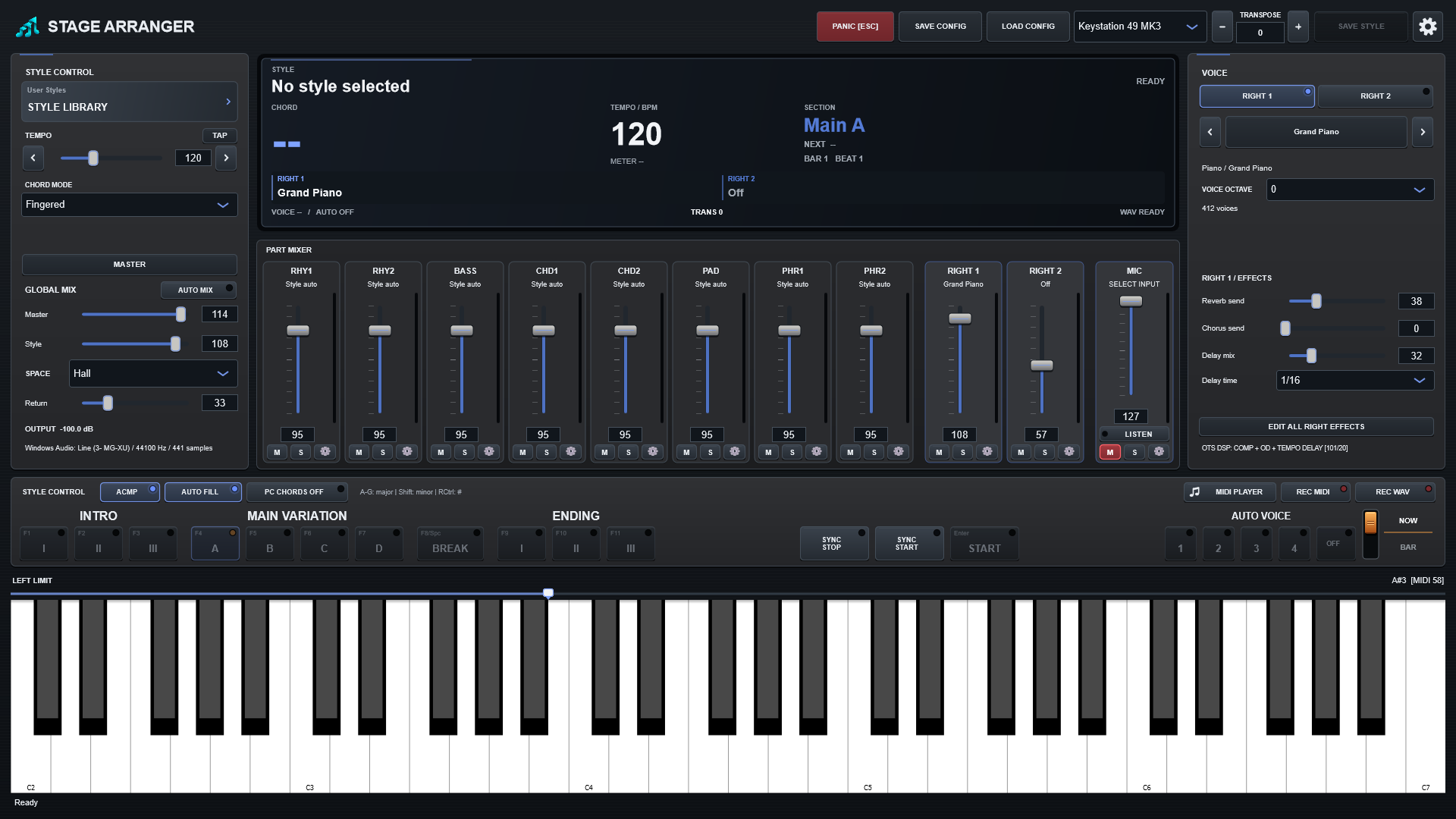
Everything you need during a live set.
Stage Arranger is centred around the arranger workflow: choose a style, play chords with the left hand, perform with layered right-hand voices and keep transport, mixer and recording within reach.
Live arranger engine
Intro, Main A-D, Fill, Break, Ending, Sync Start, Sync Stop, Auto Fill and multiple chord fingering modes.
Static Auto Mix
Build a musical starting balance for each style, then take over manually without the mix jumping underneath you.
MIDI performance
Record your arrangement to Standard MIDI, play it back with its stored sounds and perform a new live part on top.
WAV recording
Capture the final stereo performance, including MIDI playback, live right-hand parts and microphone input.
MIC / Vocal
Monitor and process a microphone with Hall, Chorus, Delay and Flanger while keeping the final recording path intact.
Flexible sound sources
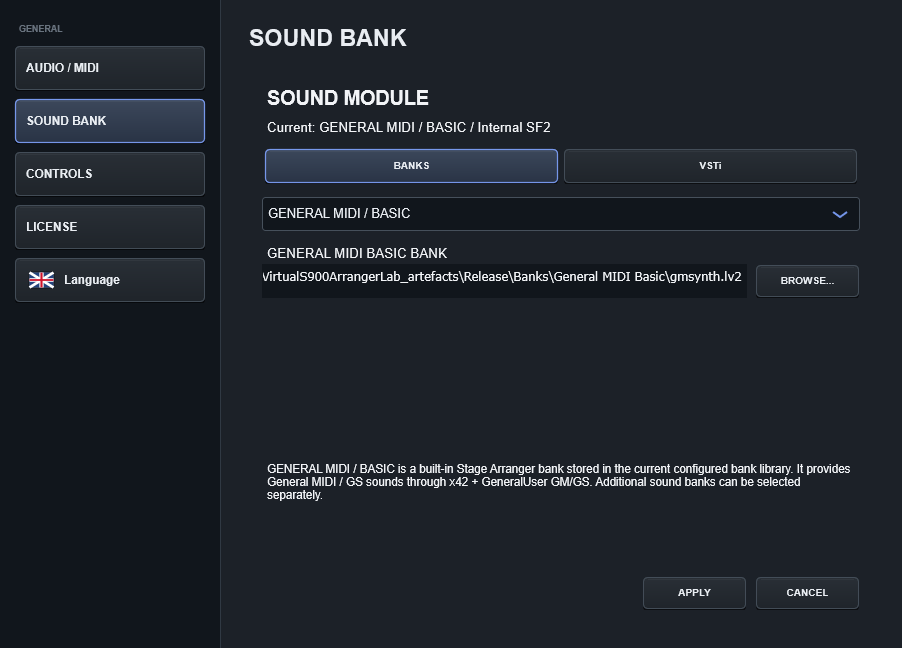
Use Arranger Premium, GENERAL MIDI / BASIC, or an external VSTi/LV2 sound module when your setup calls for it.
Your styles. Your performance.
Use compatible styles from your own library. Keep them in a folder of your choice and select them in Stage Arranger.
- A small DEMO STYLES section is kept separate from your own USER STYLES.
- Supports compatible STY, PRS, SST and BCS style files.
- User-created arranger Styles are widely available online and can be added to your own folder independently.
- Stage Arranger does not bundle or endorse third-party Style collections; users are responsible for the rights to files they import.
- Compatibility mode and the mixer help adapt Styles whose voice mapping or balance differs from your current sound library.
Demo Styles
The Demo Styles section is for demonstration content. Keep your own style library in User Styles and use content you have the right to use.
Demo content is kept separate from your own library.User Styles
Create or obtain compatible Styles independently, keep them in your own folders, and let Stage Arranger scan the library without taking ownership of the source files.
Style compatibility guideDifferent Styles can need different tuning.
Third-party and converted Styles are not all programmed the same way. A supported file may use source-specific voices, controller data or arranger rules, so we do not promise that every external Style will sound identical to the keyboard or software it came from. Stage Arranger is an independent product and is not affiliated with or endorsed by third-party keyboard manufacturers.
Build the sound setup that fits your repertoire.
Layer RIGHT1 and RIGHT2, choose their sounds and set separate voice octaves. Four Auto Voice slots store style-specific setups; the link option recalls them with Main A-D.
- Use installed sound banks and add your own compatible SF2 files.
- Separate VOICE OCTAVE for each RIGHT part, plus UPPER OCTAVE and transpose.
- Switch between bundled banks, GENERAL MIDI foundations and external sound modules when the setup calls for it.
- Four editable Auto Voice slots, with optional Main A-D linking.
- Edit all four Auto Voice setups in one style session, then save them together.

A starting mix you can see, and then make your own.
AUTO MIX creates a fixed starting balance for the current style. The result appears directly on the eight style faders. Touch a fader and Stage Arranger hands control to you while leaving the rest of the mix exactly where it was.
- RHY1, RHY2, BASS, CHD1, CHD2, PAD, PHR1 and PHR2 remain visible at all times.
- Mute, Solo, channel volume, pan, filtering, EQ and effect sends.
- Re-enable AUTO MIX at any time to restore the calculated style balance.
- No constantly moving faders or delayed corrections during section changes.

Shape the mix. See what you hear.
Five-band EQ, stereo-linked compression, dedicated makeup gain and a shared Master fader put the final sound in your hands. Input, output and gain-reduction meters show what the processor is doing.
Save the full setup in CONFIG. Keep your Auto Voice edits in SAVE STYLE. Two clear workflows, one performance.
Explore Master output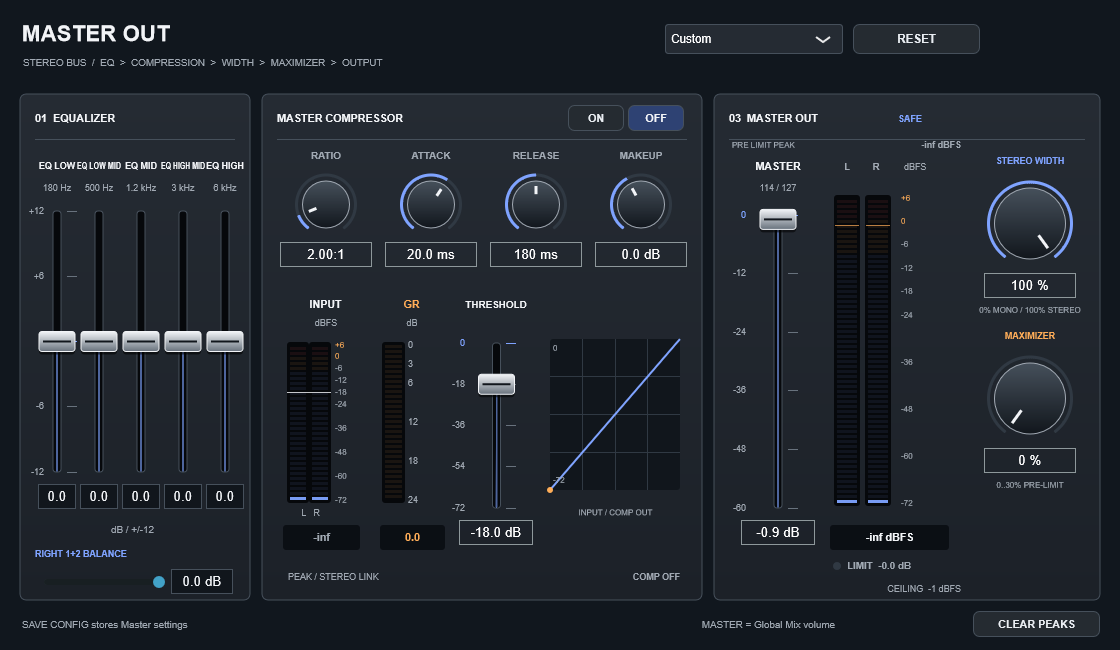
An accompaniment that follows your hands.
Responsive chords, protected release changes and musical transitions keep the focus on the performance.
Expressive left-hand control
Add chord tones while playing. Release protection helps avoid unintended intermediate harmonies as you lift your fingers.
Musical transitions
Breaks and fills retain their programmed timing, with controlled note tails instead of extra attacks inserted at the change.
Four setups, one save
Personalise each Auto Voice, switch between them within the style session and write all edited slots in one save.
Record the arrangement. Play the live part later.
The built-in MIDI Player shows the song as a compact piano-roll overview, keeps the sounds recorded with the performance, and gives you play/pause, stop, seek and timeline control directly inside the main display.
- Play back Stage Arranger MIDI with stored program information.
- The arranger is locked during playback so a second accompaniment cannot start accidentally.
- The full keyboard remains available for live RIGHT performance.
- Record the MIDI playback, live solo and microphone together to WAV.

Connect the workstation to your real setup.
Use an audio interface, a hardware MIDI keyboard, a microphone and the sound source that fits your performance.
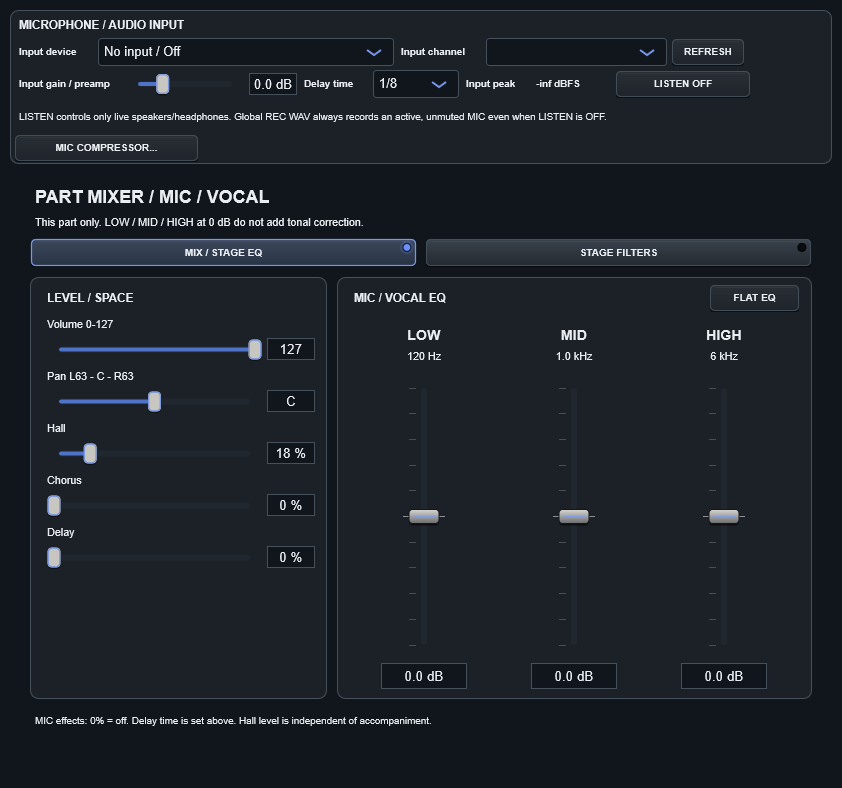
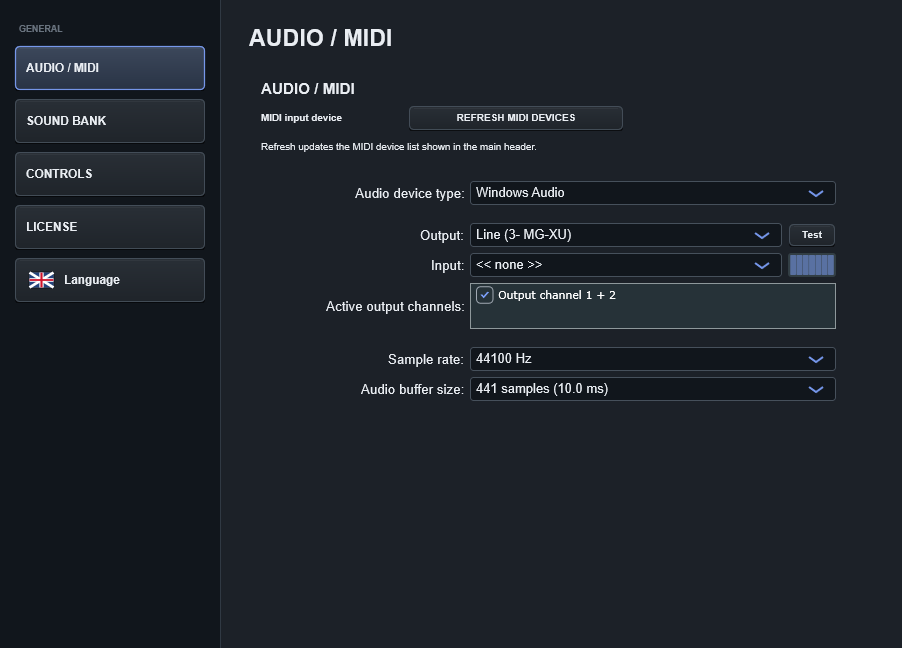
One performance path
Your accompaniment, live right-hand voices and microphone all meet at the final stereo output. REC WAV captures what the audience hears.

Build ideas and demo recordings in one performance flow.
Place a microphone on a stand, play the keyboard, sing your part and capture the result without leaving the Stage Arranger workflow. It is equally useful for home demos, rehearsal ideas and performance-ready backing tracks.
- Use a MIDI arrangement as the backing track while you perform a new live part.
- Sing through the microphone path with monitor effects and record the final result to WAV.
- Keep the take as a personal demo, send it to collaborators or continue with AI-assisted or DAW-based production later.
- Perfect for solo performers, songwriters and compact home-studio setups.
Add your own SF2 sounds
Add your own SF2 sounds
Expand your instrument with SoundFont SF2 files. Choose your own flutes, choirs, guitars and other sounds for the right hand or individual accompaniment parts directly in the application.
Favourite sounds and styles within reach
Keep bank sounds and SF2 presets together in Favourites, mark favourite styles and quickly find what you need for a performance. Browse categories and choose instruments in a clear visual browser.
A modern Windows performance setup.
Stage Arranger runs on laptops, tablets and computers with 64-bit Windows 10 or later.
For musicians who think in songs, sections and performances.
Learn Stage Arranger before you buy.
The manual explains every major performance section, control and recording workflow.